Task management web app
Good work was getting lost between updates.
Task information was scattered, updates were manual, and project risks were easy to miss.
- UX Designer & Researcher
- 6 months
- Task Management Web App
- AI, in context. insight where the work happens
- FigmaNotionMiro
Most project tools give you somewhere to put tasks and leave the hard part to you: knowing what's at risk, who's drowning, and what actually needs attention today. This is a project management web app built around an AI assistant that reads the board and tells you what it sees. Bottlenecks before they bite. Workloads that have quietly gone lopsided. Progress you'd otherwise have to piece together from six separate status updates.
Research came first, because guessing at project management is how you end up with another tool nobody opens. The interviews turned into sketches, the sketches into deliberately plain wireframes, and then into prototypes we put in front of people and rebuilt whenever they got stuck. Nothing here was decided in one pass.
Work gets lost in the gaps. Tasks live in one place, decisions in another, and the person who needed to know something usually finds out last. The app puts the whole picture on one board and lets the AI assistant point out the parts you would otherwise miss.
- Managing Project Complexity: Modern projects can feel like a maze: tangled workflows, unclear task statuses, and uneven workloads make it hard for teams to stay focused and motivated under pressure.
- Keeping Tasks Clear and Consistent: Writing detailed tasks takes time, and without clear standards, information often gets lost. This creates confusion and slows down collaboration and handovers.
- Simplifying Workflow Tracking: Manual monitoring drains time and energy. Constantly checking updates and progress often leads to missed details and communication gaps, pulling focus away from real progress.
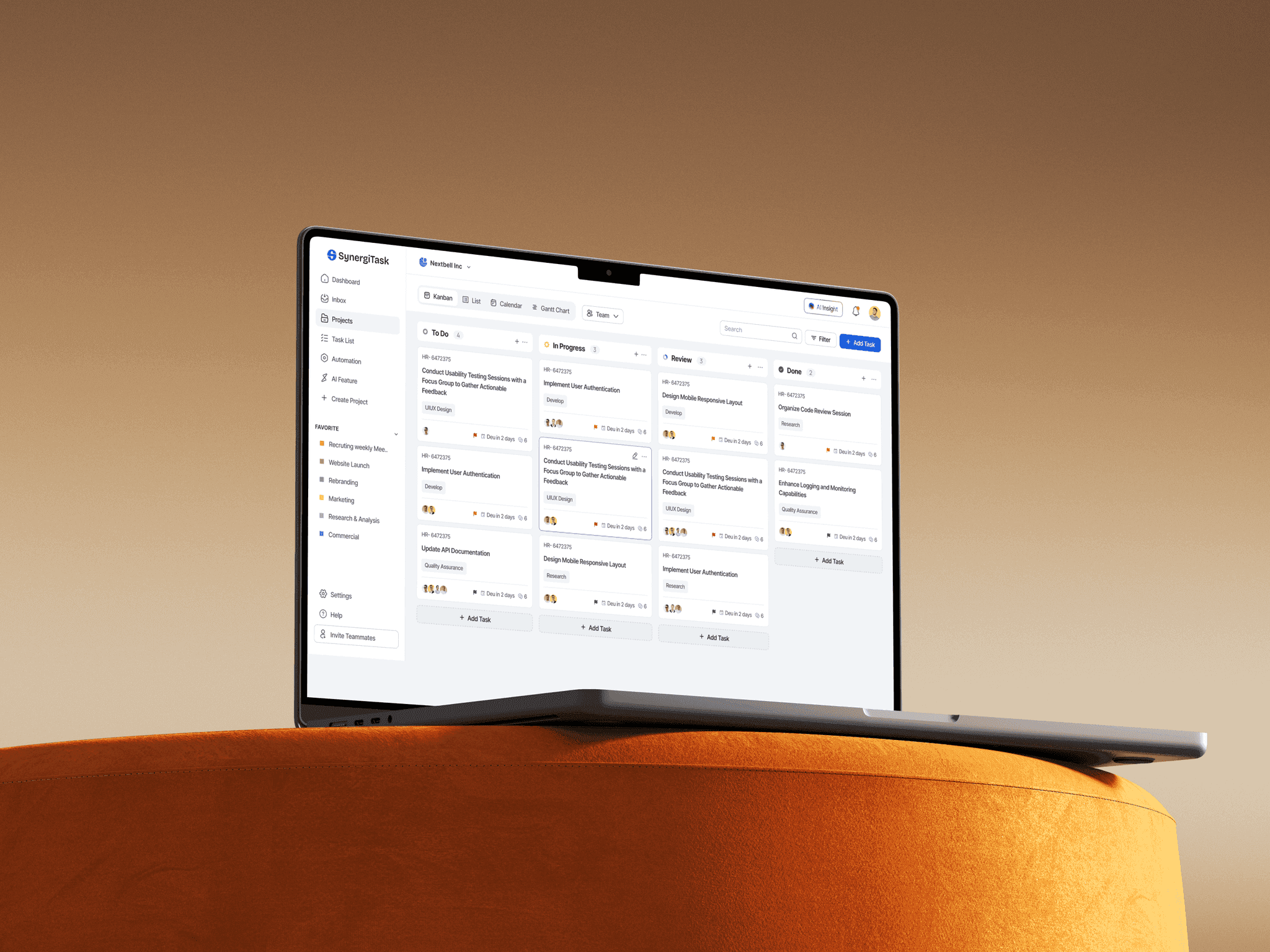
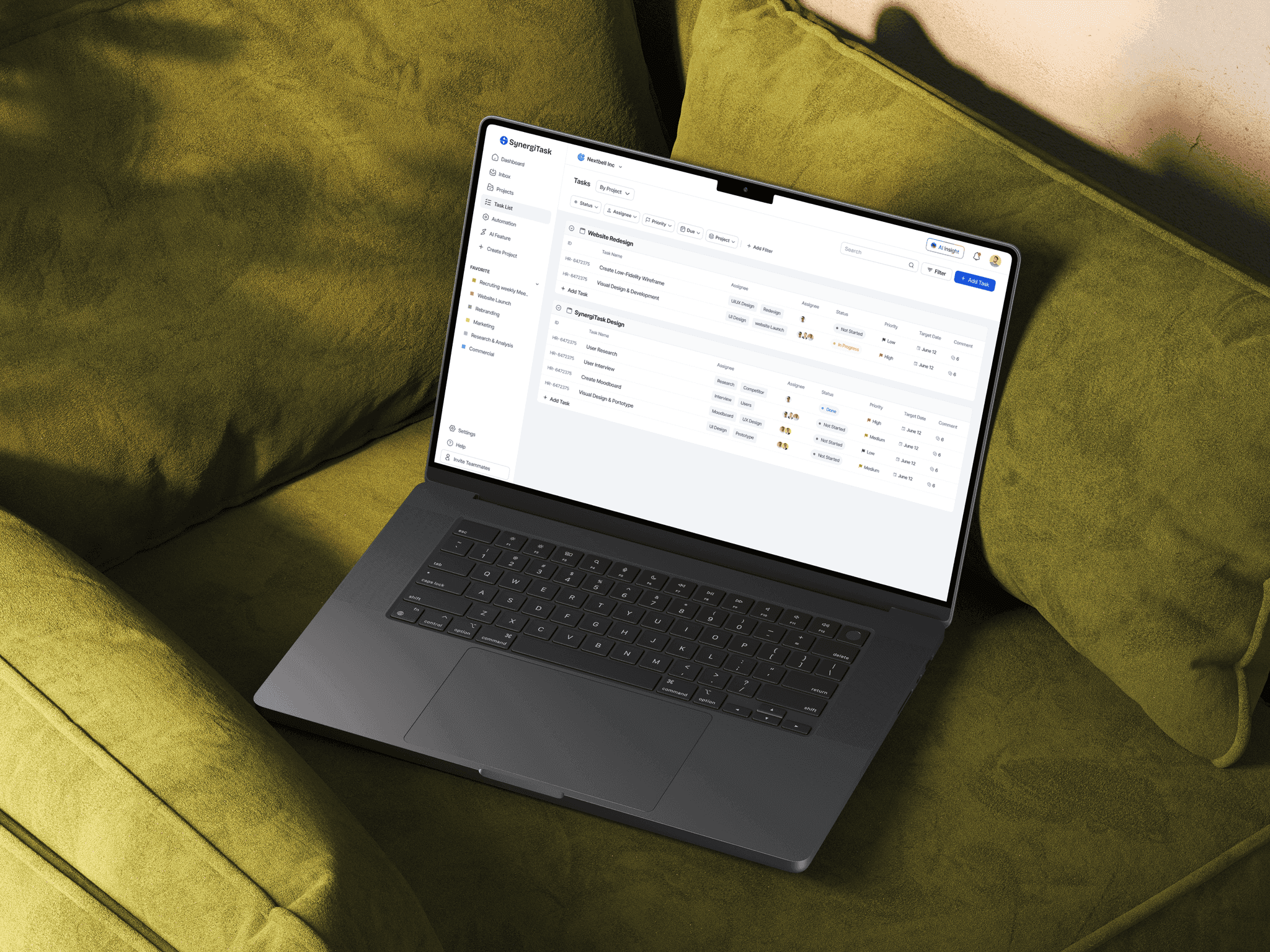
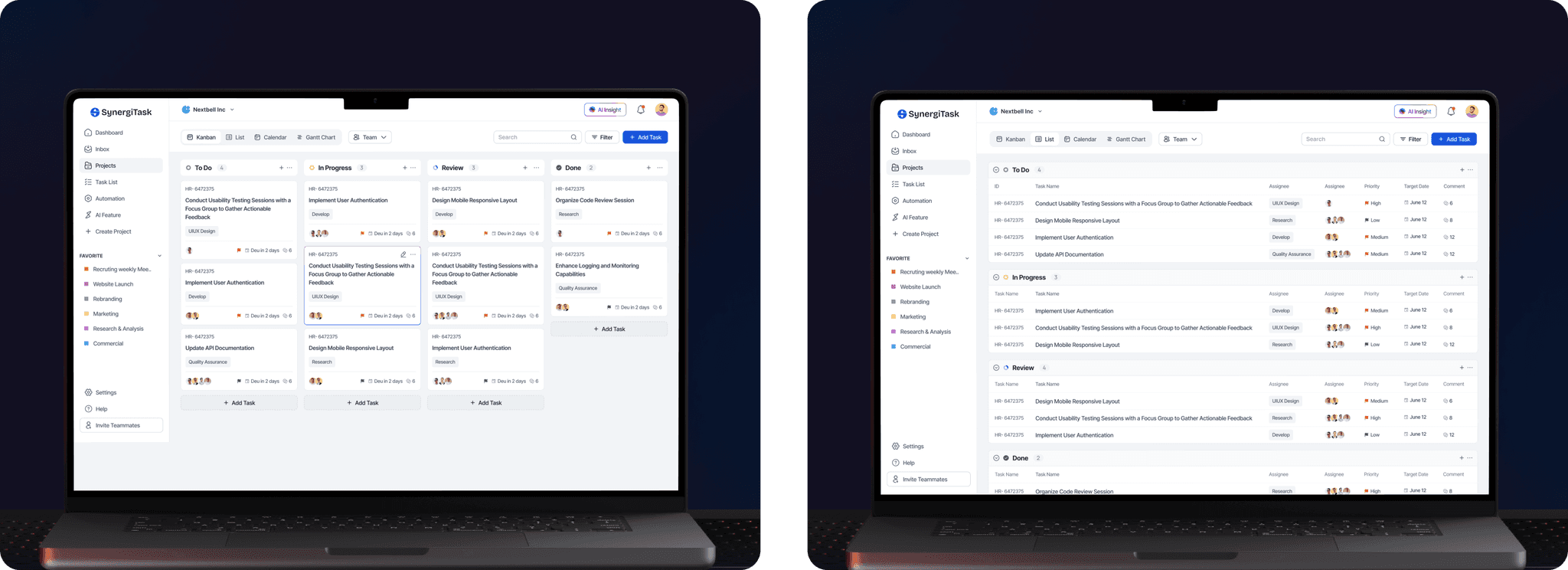
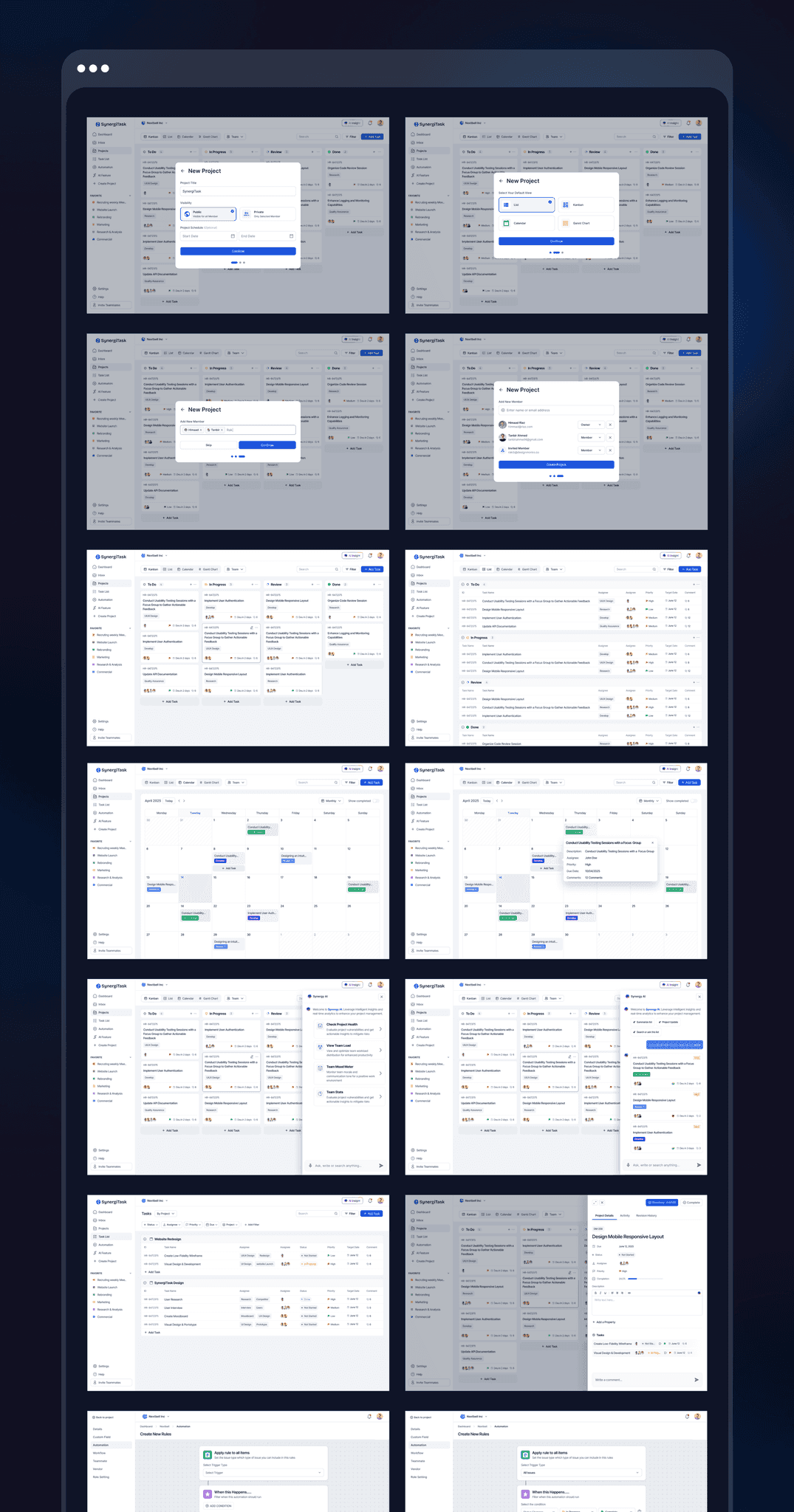
- Simplified Project Management: The app turns complex workflows into clear, visual progress. With an intuitive Kanban board and flexible views, such as List, Calendar, and Gantt Chart, teams can easily see what's happening and stay focused on what matters most.
- Smarter Task Organization: Each task card captures everything teams need, from deadlines to assignees, keeping communication clear and handovers smooth. No more chasing updates or missing details.
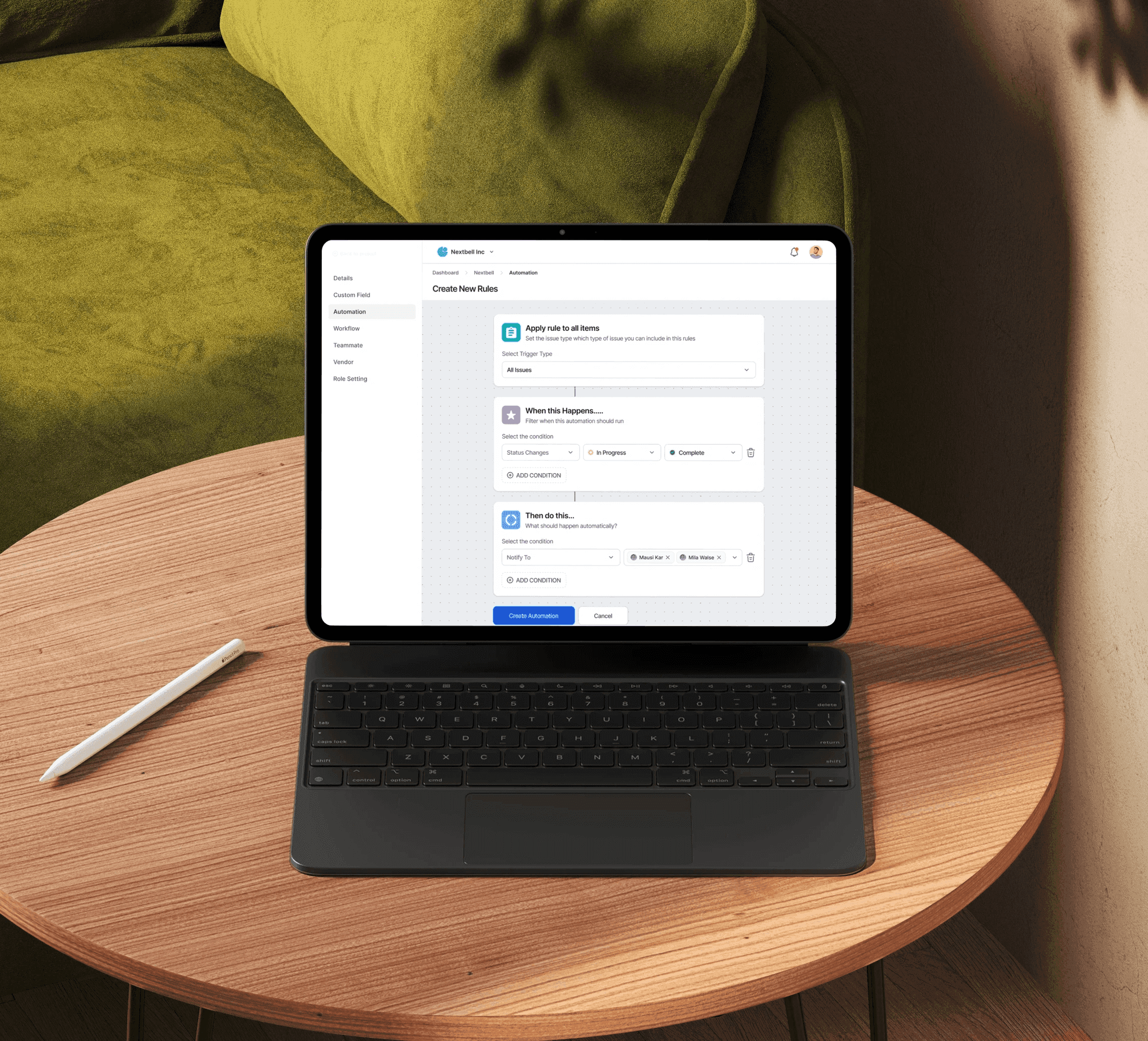
- AI That Works With You: The AI assistant offers smart suggestions, helps spot bottlenecks early, and keeps workloads balanced so projects move forward without the chaos.
- Built for Collaboration: With real-time updates and shared visibility, everyone stays connected and aligned, no matter where they're working from.
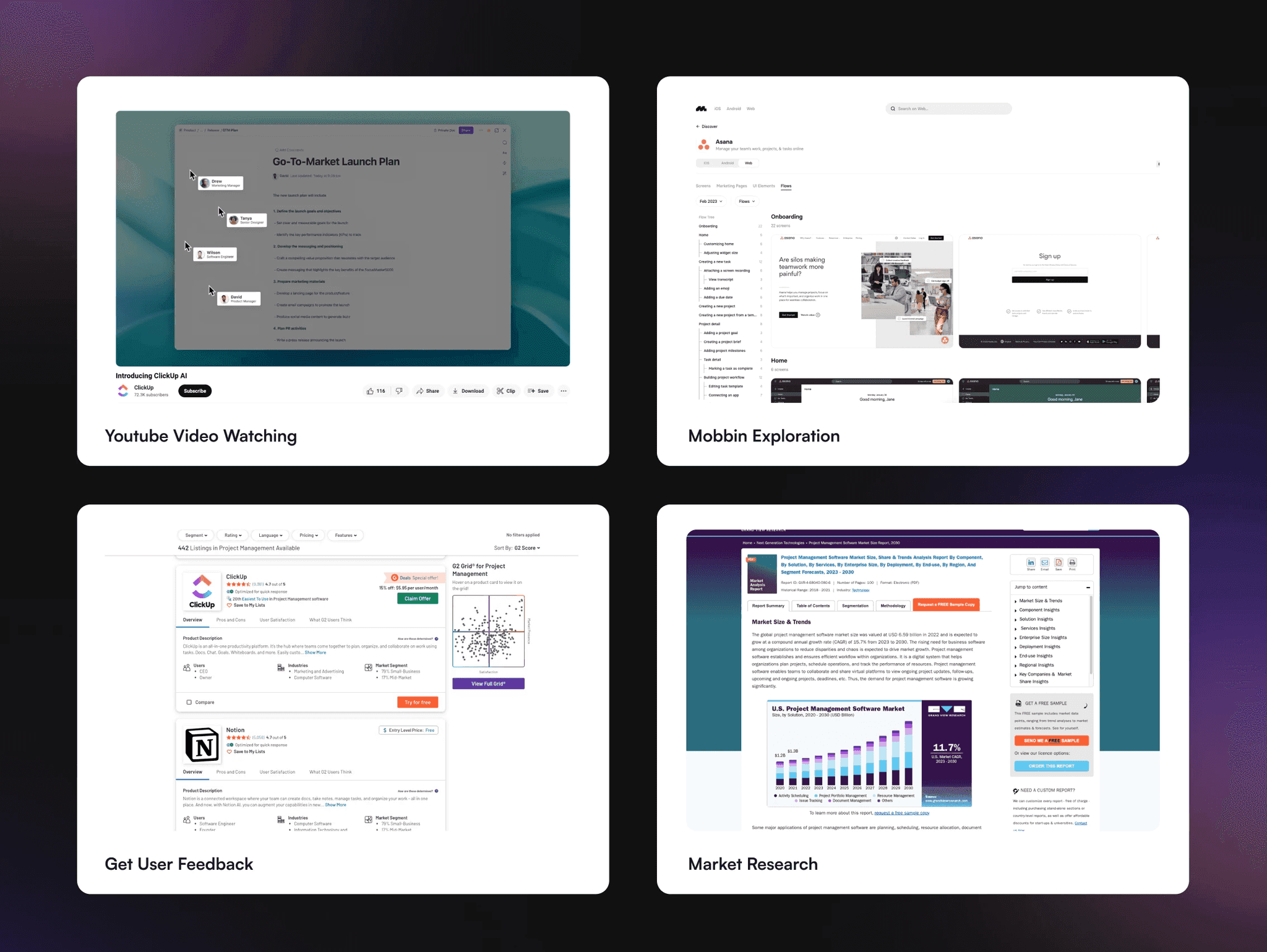
We interviewed people who run projects for a living, looked hard at what the big tools do well, and watched how work actually moves through a week. The same two gaps kept showing up: too much updating by hand, and too little warning before something slipped. That is what the design is answering.
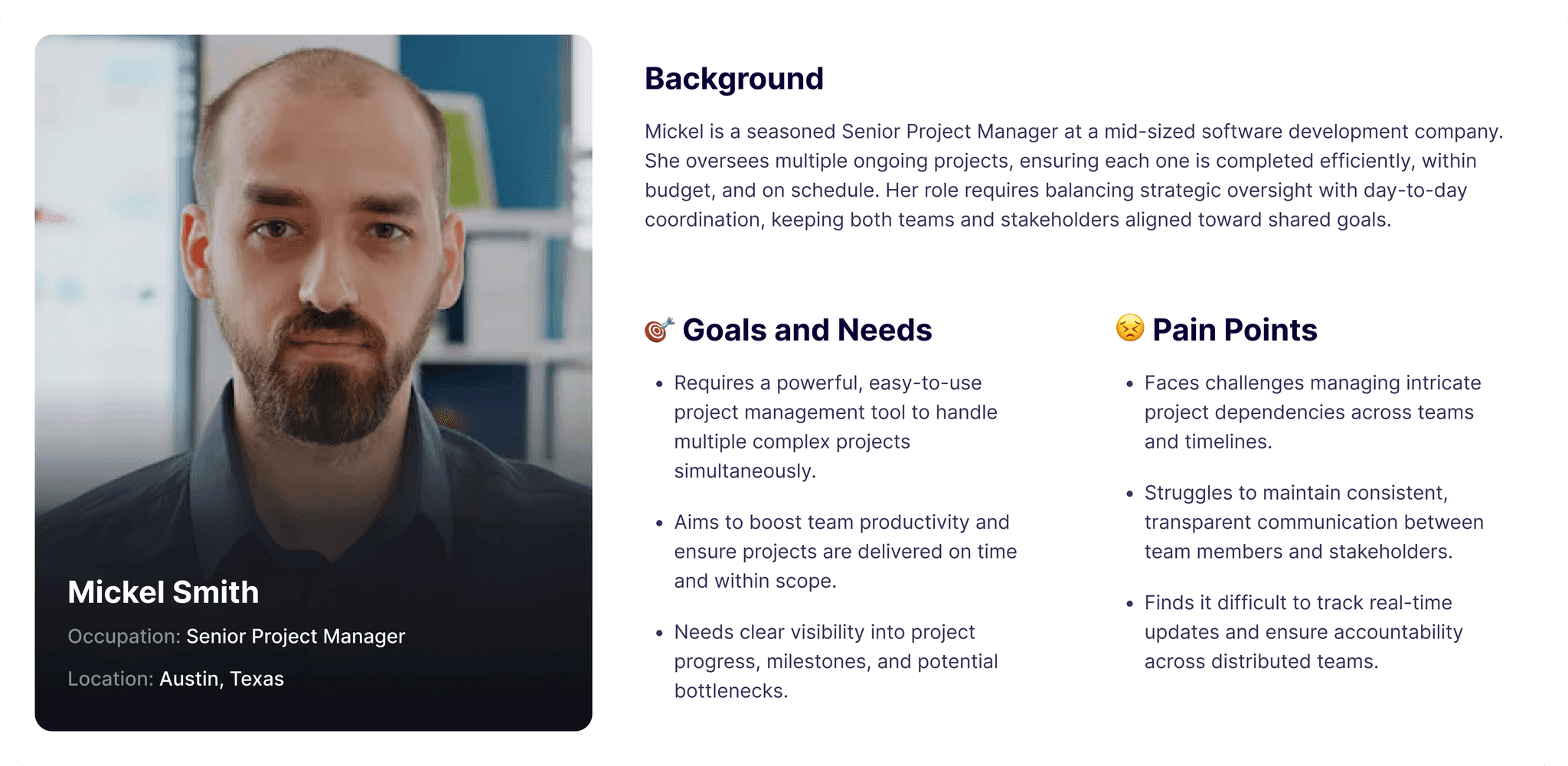
I built two personas from surveys and interviews. A project manager who spends more time reporting than managing, and a contributor who just wants to know what's next. They kept feature priorities honest, especially around how much information the board should push at you before it becomes noise.
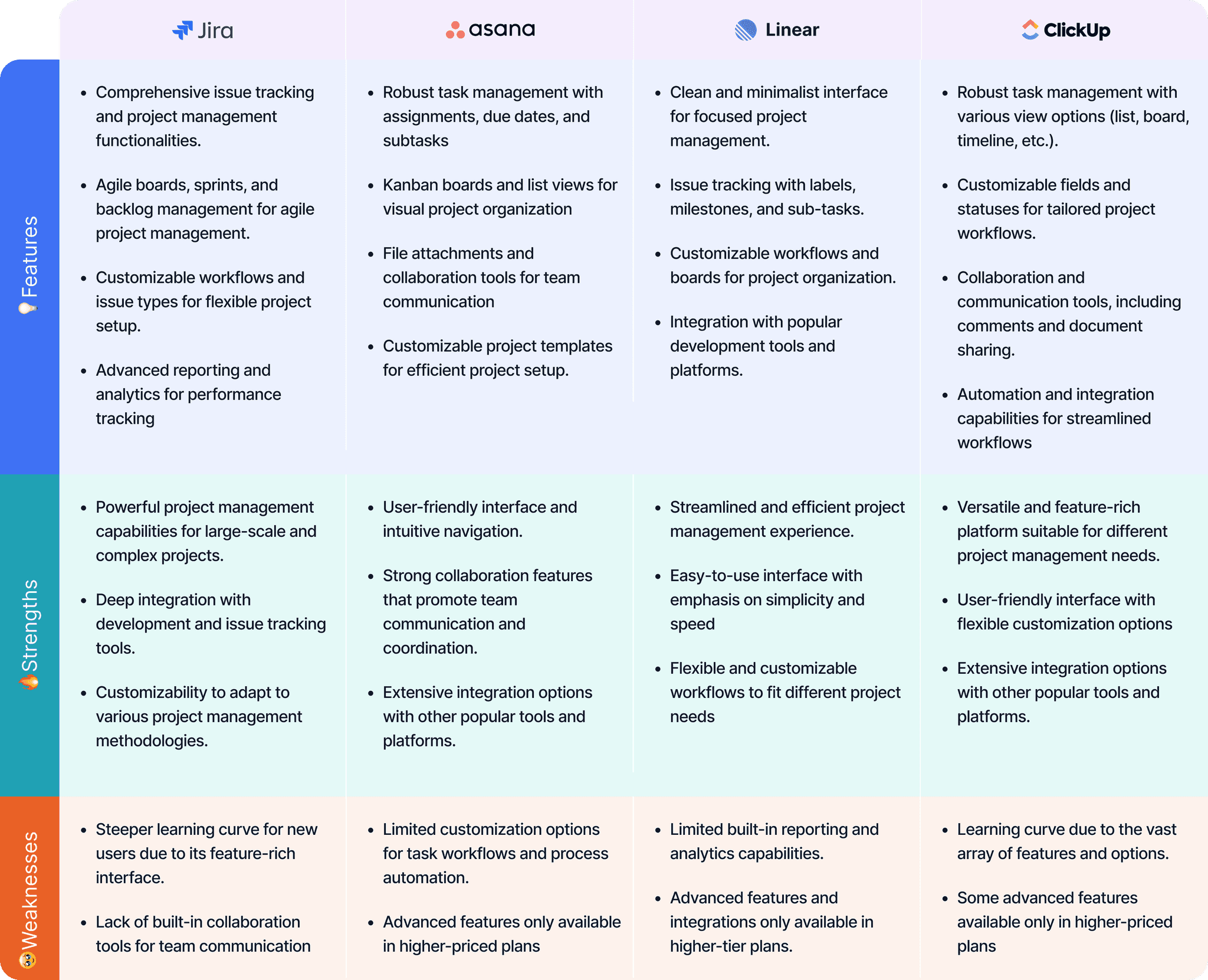
The leading tools are powerful, and most teams use a fraction of them. What kept coming up was the cost of setting them up, the admin they create and the constant chasing people for updates. That gap, capable but quiet, is where the app sits.
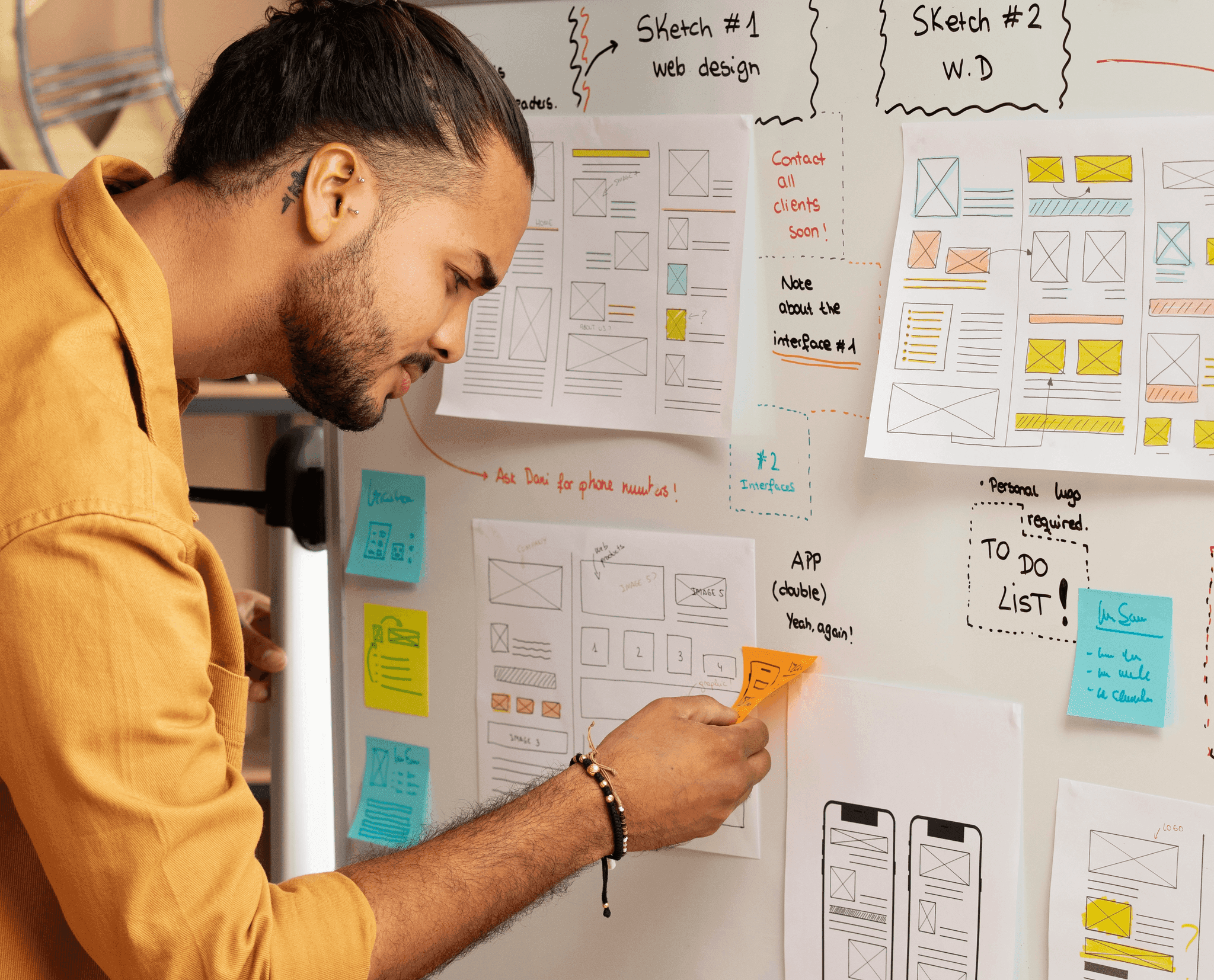
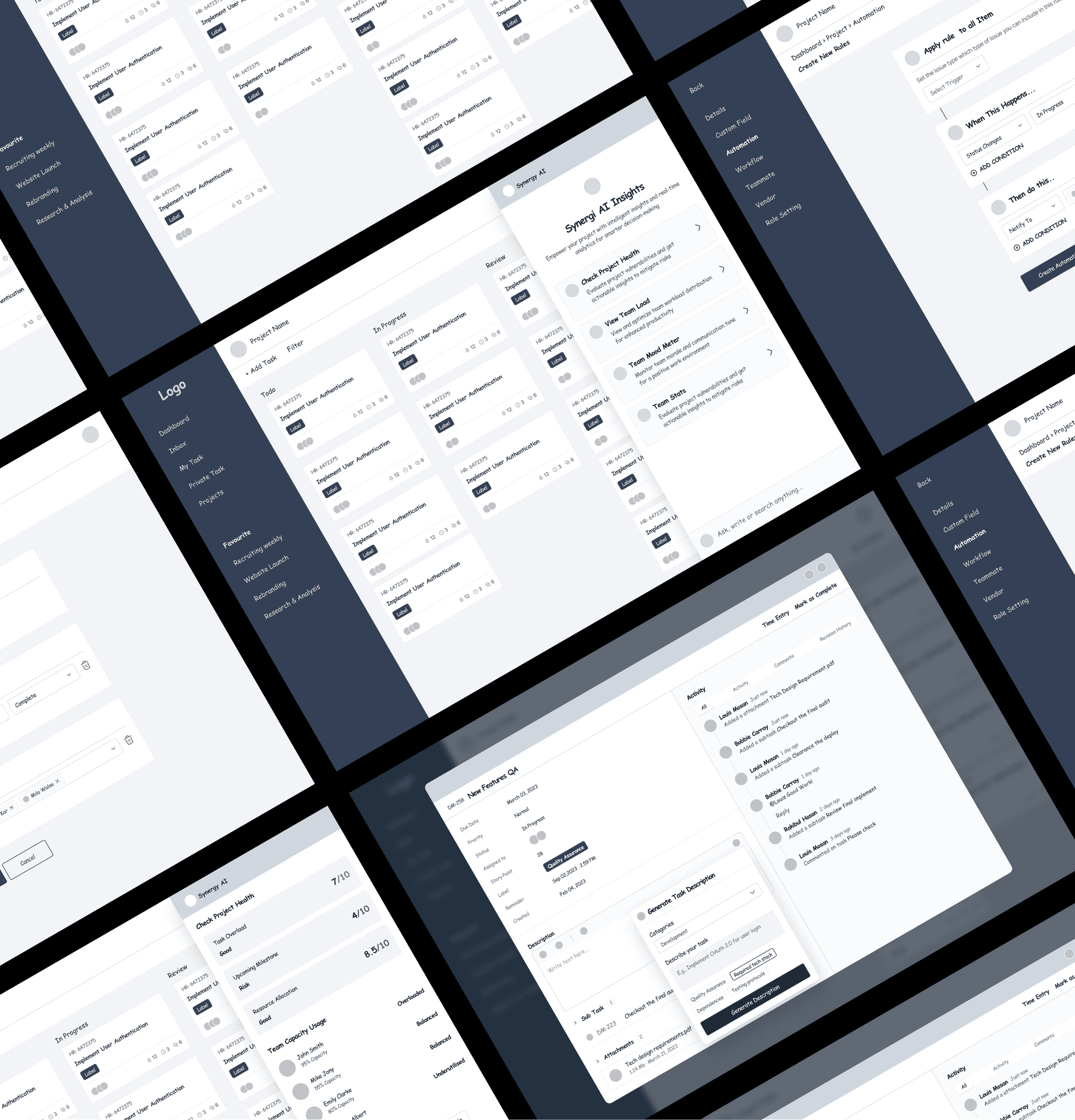
The wireframes were about structure, not style: where things live, what happens when you click, and whether the board still makes sense once a project gets messy. Getting that right early meant the visual work later was a pleasure rather than a rescue.
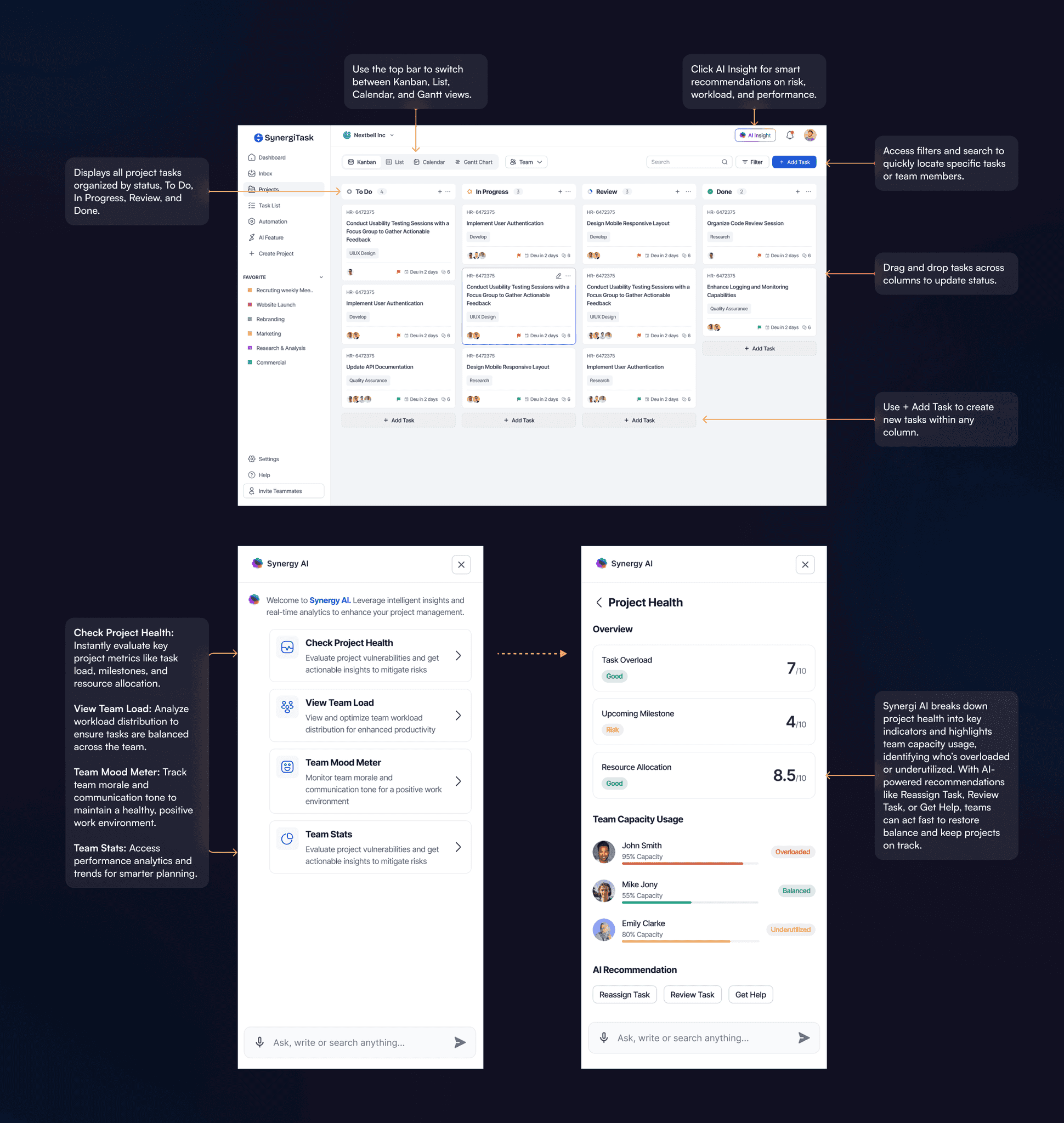
The AI assistant sits inside the Kanban board rather than off in a separate tab. It reads what is there and tells you what it notices: a task about to slip, someone carrying twice everyone else's load, a column quietly filling up. You still make the call. It just makes sure you are making it with the full picture.
Key interactions:
- Drag and drop tasks between columns to update their status.
- Switch between Kanban, List, Calendar, and Gantt views from the top navigation bar.
- Access AI Insight for real-time recommendations on risk, workload, and overall performance.
- Click + Add Task to create new tasks within any status column.
- Use the Filter and Search features to locate specific tasks, projects, or team members easily.
The sidebar is where the AI does its thinking out loud, in real time, so decisions are based on what is happening rather than what someone reported last Friday.
The Project Health view goes further: it shows who is overloaded, who is fine and who has room, then offers something to do about it, whether that is reassigning a task, taking another look at one, or asking for help.
- Check Project Health: Evaluate overall project status by analyzing workload, milestones, and resource allocation.
- View Team Load: Visualize workload distribution to ensure tasks are assigned fairly and efficiently.
- Team Mood Meter: Measure team morale and communication tone to maintain a balanced work environment.
- Team Stats: Access detailed analytics and performance trends for improved planning and forecasting.
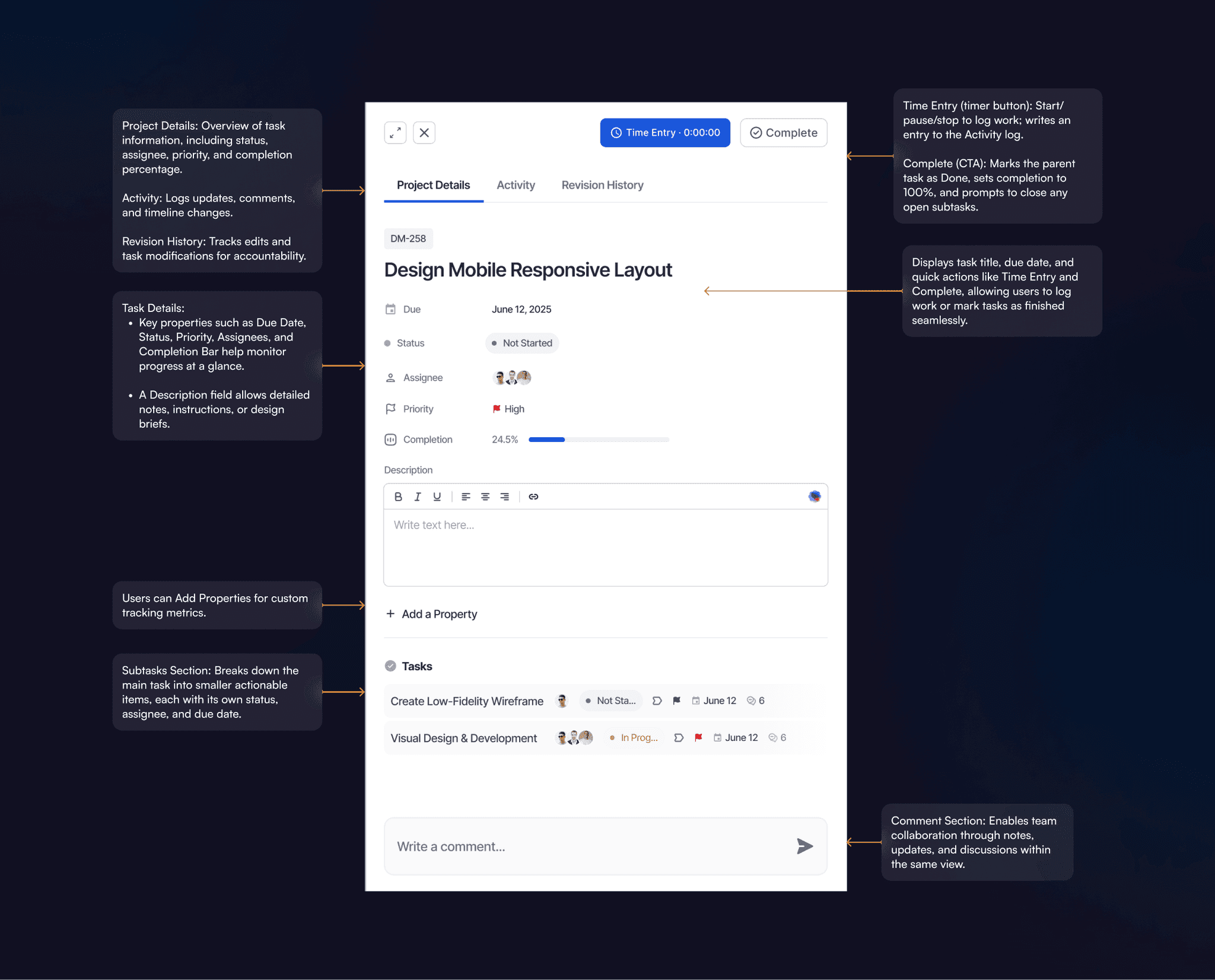
Everything about one piece of work in one place, so nobody has to ask for a status update.
- Time Entry (timer button): Start/pause/stop to log work; writes an entry to the Activity log.
- Complete (CTA): Marks the parent task as Done, sets completion to 100%, and prompts to close any open subtasks.
- Core Fields: Due Date, Status, Assignees, Priority, Completion bar.
- Description: Rich-text area for requirements/notes; supports links and formatting.
- Custom Properties: Add fields (e.g., Estimate, Sprint, Labels) for team-specific tracking.
- Subtasks: Each subtask shows status, assignee, due date, and comment count.
- Collaboration: Comment box at the bottom; posts appear in Activity and send notifications.
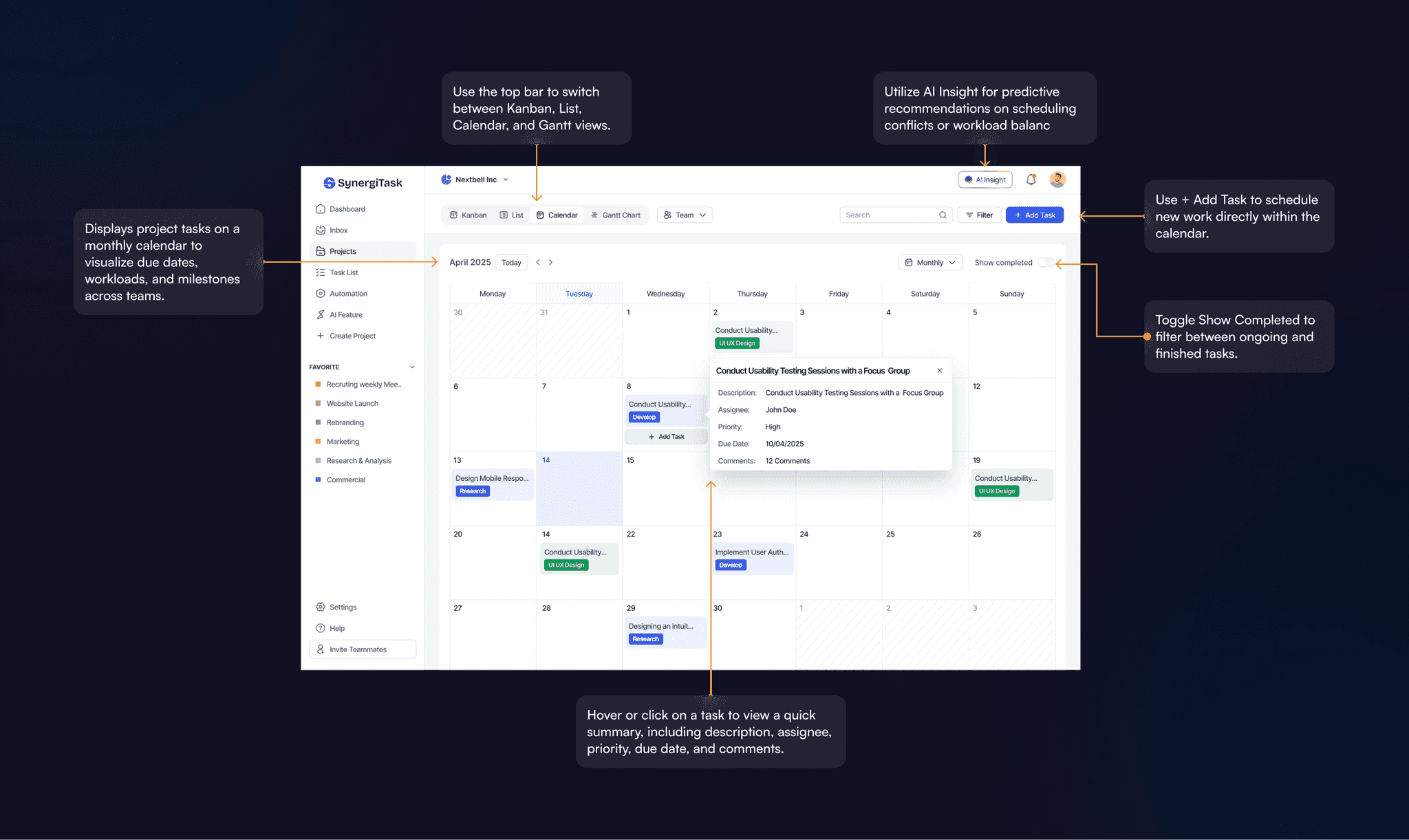
The calendar answers the question people ask most: what is landing this week, and is that realistic?
Key interactions:
Seeing the month laid out this way is usually the moment someone realises a week is overbooked, which is much better news now than on the day.
- Switch between Kanban, List, Calendar, and Gantt views from the top navigation.
- Hover or click on a task to view a quick summary, including description, assignee, priority, due date, and comments.
- Use + Add Task to schedule new work directly within the calendar.
- Toggle Show Completed to filter between ongoing and finished tasks.
- Utilize AI Insight for predictive recommendations on scheduling conflicts or workload balance.
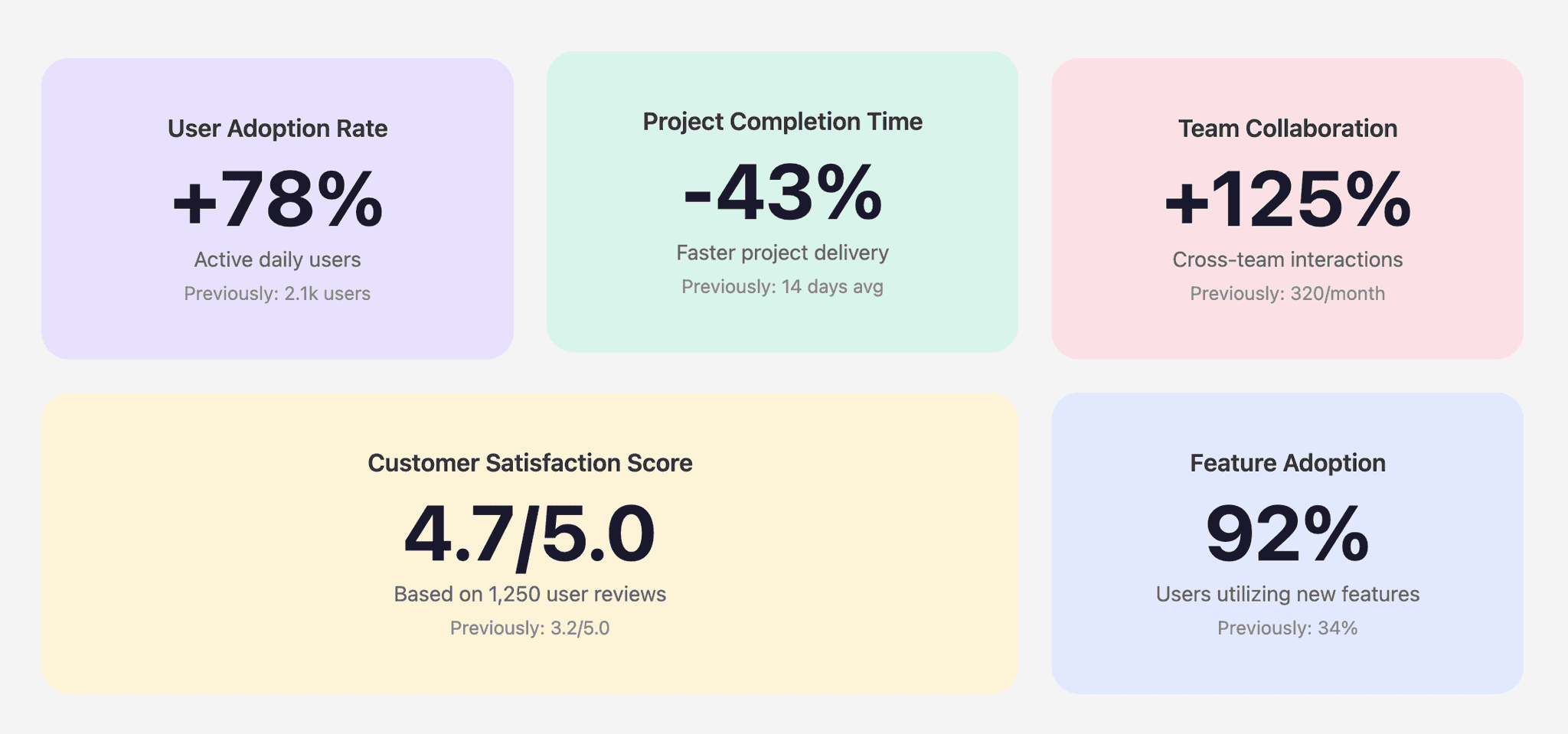
After launch the numbers pointed the same way: more teams stayed with it past the first month, less of the week went on updating things by hand, and the board kept up when projects got busy.
- +78%
- User adoption rate: active daily users (previously 2.1k users)
- -43%
- Project completion time: faster project delivery (previously 14 days avg)
- +125%
- Team collaboration: cross-team interactions (previously 320/month)
- 4.7/5.0
- Customer satisfaction score, based on 1,250 user reviews (previously 3.2/5.0)
- 92%
- Feature adoption: users utilizing new features (previously 34%)